
Can I sell food on DoorDash or Uber Eats without a restaurant?
Yes, from a licensed commercial kitchen. DoorDash says you can rent space in a ghost kitchen or shared commercial kitchen, asks for a legal business name, an EIN and bank details, and says set-up takes 1 to 5 days on average. Uber Eats asks for a business or food license. Grubhub asks for a menu and a W-9.

Su Lee · Founder, MenuPhotoLab
Six years photographing Atlanta restaurants, and two running SocialLee, uploading their menus to DoorDash, Uber Eats and Grubhub.
Sources last read · 15 sources
Can you sell on DoorDash, Uber Eats or Grubhub without a restaurant?
Yes. None of the three asks for a dining room. They ask for a business, a menu and a kitchen licensed to sell food. DoorDash answers the kitchen half itself, in the FAQ under its guide to delivery-only restaurants, where the question is "Do I need my own kitchen to start a delivery only restaurant?"
A ghost kitchen facility
Yes
DoorDash lists renting "in a ghost kitchen or shared commercial kitchen" first among its ways to find kitchen space.
A shared or commissary kitchen
Yes
Grubhub says ghost kitchens "can operate out of any commercial kitchen", including paying "for time in standalone commercial kitchens".
A host restaurant's kitchen
It depends
DoorDash describes a virtual brand run from an existing restaurant kitchen. Uber Eats writes its virtual restaurant program for the owner of that restaurant.
A food truck
Yes
Uber's licensing page has its own section for food trucks and similar mobile establishments. See the food truck guide.
Your home kitchen
No
DoorDash says virtual brands "are not allowed to operate out of residential kitchens". See the home kitchen guide.
No food permit
No
Uber Eats says "Stores must maintain valid store licenses and/or permits." DoorDash's and Grubhub's terms bind you to the same.
No. You can rent space in a ghost kitchen or shared commercial kitchen, or run a virtual brand out of an existing restaurant kitchen during open hours.
Uber Eats puts its test as four questions a team member reviews. The second is "Is your store a licensed business that sells prepared food or essentials/convenience items?" A restaurant is not on that list. A license is.
What do DoorDash, Uber Eats and Grubhub ask for at sign-up?
| Platform | What it tells you to have ready | Food license on the list? |
|---|---|---|
| DoorDash | Legal business name, EIN, the owner's name and date of birth, bank routing and account numbers. Then store details "including hours of operation, address, and more", menu items and a pricing plan | No |
| Uber Eats | "An updated copy of your menu (with prices and descriptions)", "Your hours of operations" and "A copy of your business or food license" | Yes, one "issued by your local city, county, or state regulatory agency" |
| Grubhub | "All we need is a copy of your menu and a few other basic pieces of information." Activation then asks you to "complete a W-9 form, connect your bank and establish payment frequency", upload storefront photos and set hours | No |
What kind of kitchen and license do you need?
A commercial kitchen, with a permit for the address you cook at. DoorDash's guide says "A delivery-only restaurant needs the same licenses as any restaurant business" and names four: a business license, a food service permit, health department approval and food handler certifications for staff. It adds a timeline first-time sellers rarely plan for: "Approvals can take four to eight weeks, so start the paperwork before you plan to open."
Uber Eats says what it does with the license. At sign-up it tries to match your business name and address against government licensing databases, and may ask for the license itself. Then comes the sentence that matters if you rent your kitchen:
A store license/permit should be issued by a health department or relevant government agency and authorize your food service establishment to handle and serve food to the general public. Please make sure that the address listed on the license/permit matches the address used for doing deliveries on Uber Eats.
In a shared kitchen the delivery address is the kitchen's address, because that is where the driver picks up, so the permit you upload has to carry it. Whether you hold your own permit there or cook under the operator's is a question for your county health department. None of the three platforms publishes an answer. Uber also lists what it turns away, and two items catch new sellers:
A food handler card is not a license. Food handler certifications "confirm the completion of a food safety course but do not independently authorize a store to operate in most jurisdictions."
Neither is a tax document or an occupancy permit. They "may allow you to operate a business but do not necessarily authorize the sale of food to the general public."
What is the route that works?
Pick the kitchen before anything else
A ghost kitchen facility, an hourly shared kitchen, or a restaurant that will host you. Every later step hangs on this address. DoorDash's own ghost kitchen guide puts shared kitchen rent at $1,000 to $3,000 a month, its estimate and not a quote.
Get the permits for that address
Start with the health department, because DoorDash says approvals can take four to eight weeks. Ask the kitchen operator which permits its tenants hold.
Set up the business and the bank account
DoorDash asks for a legal business name, an EIN and bank details. Grubhub's activation asks for a W-9 and a connected bank.
Write the menu and photograph every item
Uber Eats wants the menu "with prices and descriptions". DoorDash's guide says "every item should have a clear description and a high-quality photo."
Sign up, then wait for review
DoorDash says 1 to 5 days on average. Uber Eats says a team member reviews your application against its four requirements.
What photos does a new listing need on day one?
More than a restaurant with a sign out front, because your listing is the only place a customer ever sees you, and DoorDash will mark it. Its help center gives a store a virtual kitchen badge if any one of three things is true: "The brand has no established brick and mortar store", "The store does not provide a dine-in option for customers", or "The store operates out of a commissary or shared kitchen". A seller with no restaurant meets all three.
DoorDash does not say the badge and its Virtual Brand Quality Requirements share a definition, so plan for both. Those requirements ask for at least 8 food items, a header image no other brand uses, and a distinct real photo on every item, set out in the ghost kitchen guide.
DoorDash: landscape 16:9, at least 1400 x 800 pixels. See the DoorDash photo requirements.
Uber Eats: between 5:4 and 6:4, at least 550 x 440 pixels. See the Uber Eats photo requirements.
Grubhub: two specifications that disagree, a 200 x 200 square and a 1600 x 1200 4:3. See the Grubhub photo guidelines.
Real food from your kitchen. DoorDash's virtual brand rules say "Evidently AI-generated images, heavily altered images, or images that create a misleading representation of the item are not permitted." The line is drawn in the guide to AI-generated food photos.
Both big apps will send a photographer. Uber's virtual restaurant sign-up asks for "Menu photos, or if you don’t have menu photos, a few dates you’ll be available to have SmartShoots come and take some photos of your menu items". DoorDash offers a free shoot with a limit on where the photos may be used, covered in the guide to the free DoorDash photoshoot.
What do the platforms not publish?
A list of accepted kitchen types for a new store. DoorDash's "licensed commercial kitchen" sentence sits in its virtual brand rules; its sign-up article does not mention the kitchen.
Whether a shared kitchen tenant needs its own permit. Uber asks only that the address on the license match the delivery address.
A way into Uber's virtual restaurant program without a parent store. Its page says the program lets "restaurant owners host a separate store concept within an existing brick and mortar store" and that it "must be run out of an existing kitchen licensed by the state to sell food."
Where a platform is silent, ask it in writing before you sign a lease. A sentence from support is worth more than a guess, including mine.
What this means if you sell on more than one app
One address, one set of papers. The same kitchen address and license go to all three apps, so settle the kitchen first and sign up everywhere from it.
One shoot, three shapes. DoorDash crops to 16:9, Uber Eats to between 5:4 and 6:4, Grubhub to a square or 4:3. Shoot each dish at 4:3 with room on every side and all three come out of one file. The guide to conflicting photo specs shows the crops.
Photograph it the way it leaves the kitchen. With no dining room, the customer only ever sees the food in its container. Shoot it in the packaging you send.
Leave nothing blank. On DoorDash and Uber Eats an item with no photo may be filled from somewhere else, as the guide to menu items without photos explains.
I started MenuPhotoLab for exactly this stage: a real kitchen, a full menu and no photo budget. You take the photos on your phone in the kitchen you rent. MenuPhotoLab fixes the light and the background and prepares the sizes for each app. I never generate food or change what is in the container, because the photo has to be what your customer receives.
Frequently asked questions
Do I need my own kitchen to sell on DoorDash?
No. DoorDash's guide to delivery-only restaurants, read 2026-10-02, says you can rent space in a ghost kitchen or shared commercial kitchen, or run a virtual brand out of an existing restaurant kitchen during open hours. What you cannot use is a home kitchen: its virtual brand rules require a licensed commercial kitchen and exclude residential ones.
Does DoorDash ask for a food license when you sign up?
Its sign-up article does not list one. It asks for a legal business name, an EIN, the owner's name and date of birth, and bank routing and account numbers. Its merchant terms still have you warrant that you will obtain any necessary permits and licenses, and DoorDash may email for more information before your store goes live.
What documents does Uber Eats need from a new store?
Uber Help lists three: an updated copy of your menu with prices and descriptions, your hours of operation, and a copy of your business or food license issued by a local city, county or state regulatory agency. Its licensing page adds that the address on the license must match the address used for deliveries on Uber Eats.
How long does it take to get listed on DoorDash?
DoorDash's help center says set-up takes between 1 and 5 days on average after sign-up, and that a DoorDash tablet arrives within seven business days. The slow part comes first: DoorDash's own guide says license and permit approvals can take four to eight weeks, so start that paperwork before you plan to open.
Can I cook in a commissary kitchen and deliver through the apps?
By what the platforms publish, yes. DoorDash names shared commercial kitchens as a way to start, and Grubhub says ghost kitchens can operate out of any commercial kitchen, including standalone kitchens rented by the hour. Uber Eats asks that the license you upload carry the address your deliveries leave from, so ask your health department which permit covers you there.
Real client work
A real restaurant's takeout photo, ready for DoorDash
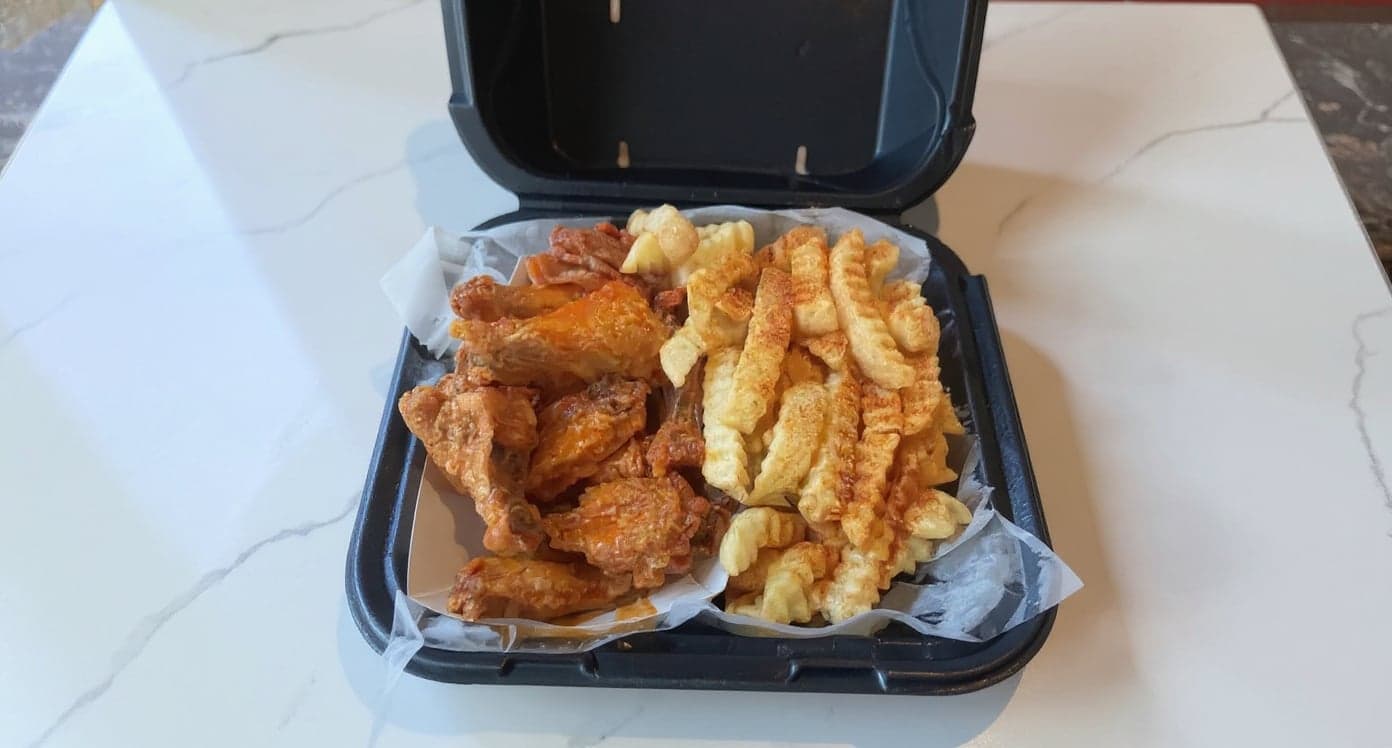
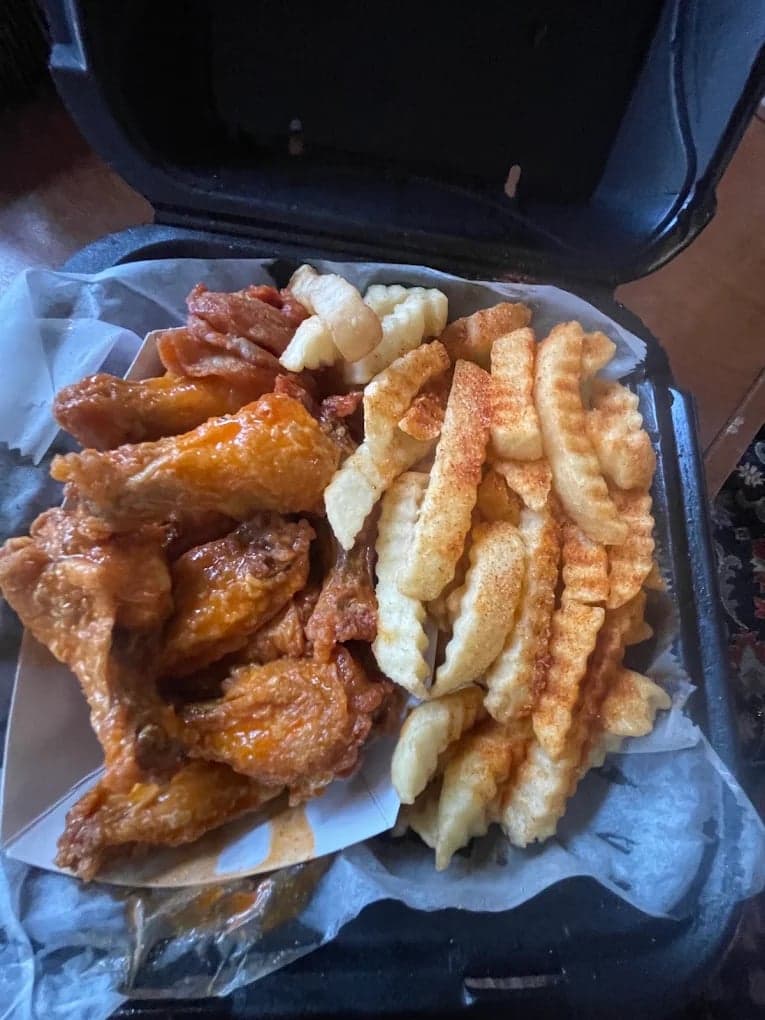
We hadn't updated our photos in three years. This finally got our DoorDash listing looking current.
5 photos free · No credit card · No watermark
Keep reading

Su Lee
Founder, MenuPhotoLab · Atlanta, Georgia
I have photographed Atlanta restaurants for six years as a food creator, and for the last two my sister and I have run SocialLee, shooting and uploading menus for independent restaurants around metro Atlanta. I wrote this page the way I wish the platforms had written theirs: every number read off their own documentation, with the date I read it, and where they contradict themselves I say so.
Sources
- DoorDash for Merchants, Delivery Only Restaurants: Pros, Cons, and How to Start One (own-kitchen FAQ, license list, four to eight weeks), read
- DoorDash Help Center, How to Sign Up for DoorDash as a Merchant (what to have ready, 1-5 days), read
- DoorDash for Merchants, How to Get Started on DoorDash: A Full Setup Guide, read
- DoorDash Help Center, Virtual Brand Quality Requirements Overview (licensed commercial kitchen, residential exclusion, 8 food items), read
- DoorDash Help Center, How Virtual Kitchen Badging Works (three badge criteria), read
- DoorDash for Merchants, Ghost Kitchen 101: How to Start a Delivery-Only Business (DoorDash's rent estimate), read
- DoorDash, Merchant Terms of Service, United States, last updated April 27, 2026 (sections 2.9 and 7.1), read
- Uber Help, Food Licensing Requirements (JavaScript page; read as rendered text. curl returns 404), read
- Uber Help, What documents do I need to complete sign-up? (JavaScript page; read as rendered text), read
- Uber Help, What are the requirements to join Uber Eats? (JavaScript page; read as rendered text), read
- Uber Help, Creating a Virtual Restaurant (JavaScript page; read as rendered text), read
- Grubhub for Restaurants, How can I sign up for Grubhub for Restaurants? (menu and basic information), read
- Grubhub for Restaurants, How to self-activate your Grubhub account (W-9, bank, storefront photos, hours), read
- Grubhub for Restaurants, Ghost Kitchens Vs. Virtual Restaurants (any commercial kitchen, leased space), read
- Grubhub, Restaurant terms and conditions (health and safety code compliance), read
Platform requirements change. This page carries the date each source was last checked.
Not affiliated with DoorDash, Uber Eats, Grubhub.