
How many menu photos does a wing shop need on DoorDash and Uber Eats?
Each menu item gets its own photo, and on DoorDash items that differ by flavor, protein or preparation each need their own. Ten wing flavors listed as separate items need ten photos. One wings item whose variations are not listed separately can share one. Uber Eats allows one item per photo and publishes no combo exception.

Su Lee · Founder, MenuPhotoLab
7 min read · Sources last read · 4 sources
On this page · 7 sections
- How many photos does a wing menu need on DoorDash?
- What does DoorDash want a wing photo to show?
- Can one photo show wings with fries and a drink?
- How do you photograph a Philly cheesesteak for delivery?
- What does a full photo set look like on a real wing shop's menu?
- How do you shoot ten or more flavors from one setup?
- What does this guide not cover?
Read in another language
Will your photo pass DoorDash, Uber Eats and Grubhub?
Check its size, shape and file type against DoorDash, Uber Eats and Grubhub’s published rules in a few seconds. The photo stays on your device and nothing is uploaded.
Drop a photo here, or choose one from your phone or computer.
How many photos does a wing menu need on DoorDash?
A separate item is anything listed as its own entry on the menu, rather than a choice made inside another entry. A wing shop's menu is mostly one dish in many versions: six, ten or twenty wings, bone-in or boneless, a dozen flavors. DoorDash's rejection page has a rule written for exactly that:
Upload separate photos for items that differ by protein, flavor, or preparation. Example: "Beef Taco" and "Chicken Taco" each need their own photo.
Use one photo for a generic item if variations aren't listed separately. Example: "Taco" (single item) can use one photo.
Read together, the rule is about how the menu is built, not how many flavors you sell. DoorDash says nothing on that page about item options, so I will not claim how it treats a flavor picked at checkout. It does say a generic item can use one photo when its variations are not listed separately.
Here is the arithmetic for a shop with ten flavors and three sizes. It is my own count, not a DoorDash figure:
| How the menu is built | Items listed | Photos the rule points to |
|---|---|---|
| Every flavor and size is its own item | 30 (10 flavors x 3 sizes) | 30 |
| One item per size, flavor chosen as a variation inside it | 3 | 3 |
| One item per flavor, sizes chosen inside it | 10 | 10 |
That is the real cost of the menu you already have. Ten flavors listed one by one is ten photos to make, though one setup can produce all of them. Leaving an item blank is not a safe shortcut. DoorDash says it "may automatically add" a photo from a connected Instagram business account or from Yelp, and that same page says those photos go through the same moderation. The guide on menu items without photos, linked below, covers what each app puts there.
What does DoorDash want a wing photo to show?
The photo must show exactly what is included with the menu item. The portion size must be clear and realistic.
Show the portion
A six-piece and a ten-piece must look different. DoorDash wants "at least 80% of the item" visible in the frame, centered (source).
Fill the frame sensibly
The item should fill "50-70% of the frame" against a simple, natural background (source).
Keep hands secondary
Hands are allowed "only if they don't distract from or obscure the item" (source).
Landscape only
"Landscape 16:9 aspect ratio only", with vertical or square photos not accepted. Sizes are in the table below.
No added text or borders
Text is acceptable "only if it exists on the item itself and was not added digitally", such as a printed bag.
| DoorDash | Uber Eats | Grubhub | |
|---|---|---|---|
| Item photo shape | 16:9 landscape | 5:4 to 6:4 landscape | 1:1 to 4:3, Grubhub's own docs disagree |
| Minimum size | 1400 x 800 px | 550 x 440 px | 200 x 200 px |
| File types | JPG or PNG | JPG, PNG, or GIF | PNG per the help center; PNG, JPEG or JPG per the developer docs |
| File size cap | 2 MB stated, 16 MB for item photos | 10 MB | Not stated |
| Source | Read 2026-08-26 | Read 2026-08-30 | Read 2026-08-27 |
If you list on both DoorDash and Uber Eats, shoot wide with space around the plate: DoorDash takes 16:9 only, while Uber Eats asks for 5:4 to 6:4, so one frame has to crop cleanly to both.
Grubhub is the open question. Its menu overview lists Photo and Modifiers as separate fields on an item, which fits the same logic: the photo belongs to the item. I found no Grubhub rule about items that differ by flavor, so I will not guess at one.
Can one photo show wings with fries and a drink?
Only if that is what the item is. DoorDash allows several things in one photo when they are one purchase:
Show only one item per photo, unless multiple items are sold together (for example, family meals or bundles).
Uber Eats words it more tightly. Its store-submitted photo guidelines say a photo must "accurately represent a single item" and cannot "contain more than 1 single item", with the example that a pizza photo "should display only pizza; not pizza and hamburgers". I found no bundle exception on that page.
How do you photograph a Philly cheesesteak for delivery?
The platform rules are the same as for any item: landscape, centered, at least 80% of the item visible. What a long hoagie roll changes is the framing, and that part is my practical advice rather than a rule. Shoot it lengthwise, cut in half with the filling facing the camera, so the sandwich runs along the wide side of a 16:9 frame instead of standing tall in it.
Uber Eats lists "an unsanitary environment (including dirty surfaces, plating/packaging, or used cutlery)" among reasons to reject, so the foil wrapper or tray should look as clean as the food.
What does a full photo set look like on a real wing shop's menu?
A local chicken wing shop I worked with had 59 items on its DoorDash menu on 2026-08-24, 30 of them with a photo, and 5 of its 12 "Most Ordered" items blank. On 2026-10-13 the same menu showed 58 items, all 58 with a photo, and none of the top 12 blank. I counted both menus myself from the public listing. The shop reorganized in between, so these are coverage figures, not an item-for-item comparison.
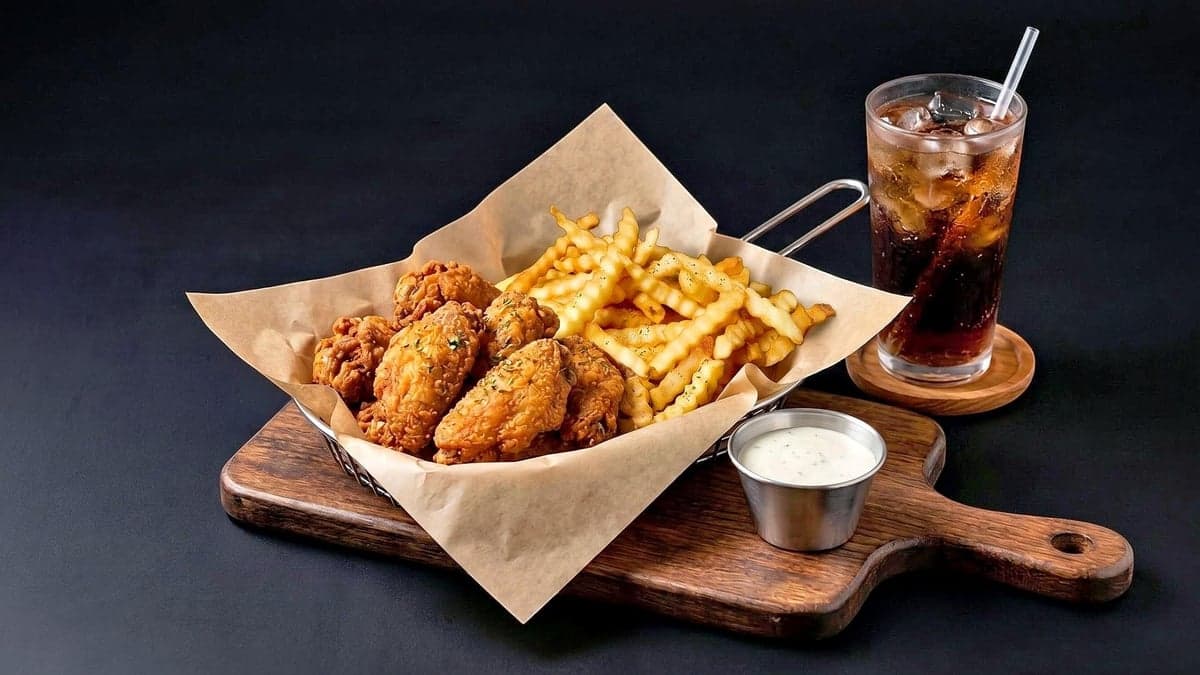
The pair below is a wings, fries and drink plate on two of the shop's DoorDash listings: the owner's own phone photo on one, the set made for the other. On the left the frame cuts into the plate; on the right the whole plate is in view.
Owner's phone photo (another location)
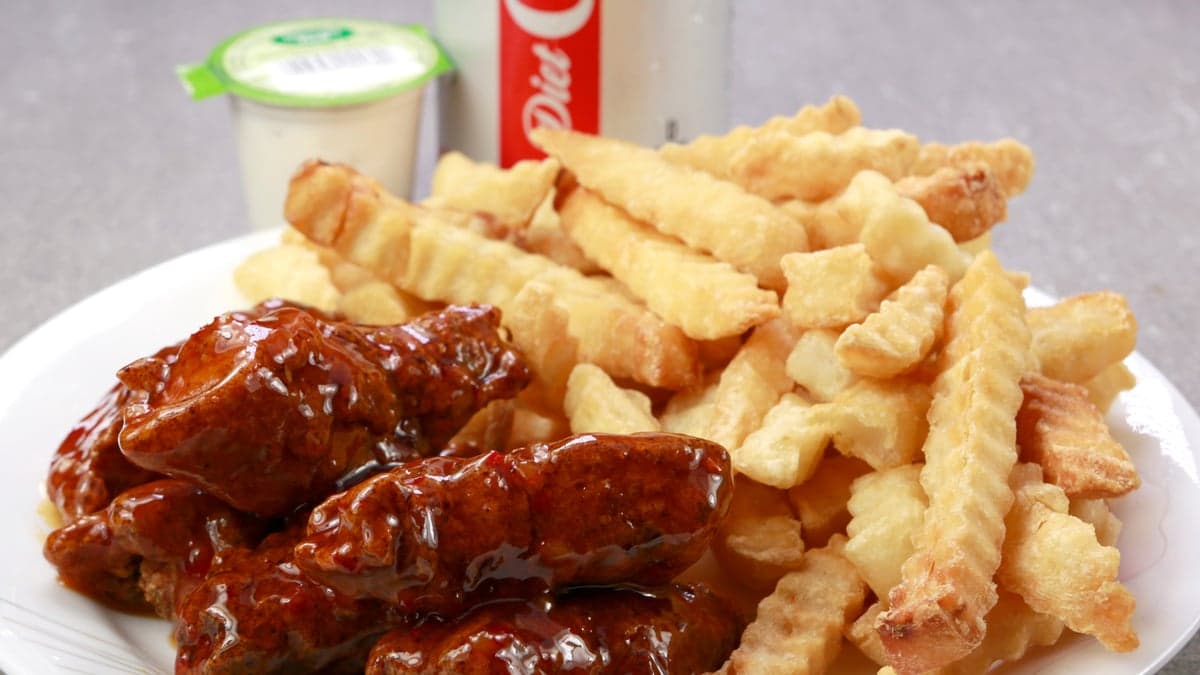
Photo set delivered (this location)
How do you shoot ten or more flavors from one setup?
This only matters if your flavors are listed as separate items. If they are, the sauce is the only thing that changes, and it is the thing the photo has to show, because DoorDash wants the photo to show "exactly what is included". My approach, as advice rather than a rule:
Group flavors by how they look.
Glazed and sticky (honey BBQ, teriyaki), dry rubbed (lemon pepper, cajun), tossed in red sauce (buffalo, hot). Each group looks alike on camera.
Shoot one hero dish per group, then every flavor in the same setup.
Same plate, light and angle, so the menu looks consistent and only the sauce changes.
Never reuse one flavor's photo on another flavor's item.
DoorDash says photos "can be reused only if they represent the exact same item". Even two sauces that look alike are different items, so each listed flavor gets its own shot from the same setup.
What does this guide not cover?
Item options
DoorDash's page does not say how it treats a flavor chosen as an option inside one item. However the menu is built, check the rejection notice for the item rather than assuming.
Grubhub variations
I found no Grubhub rule about items that differ by flavor, so the 3-versus-30 count is a DoorDash reading only.
One shop
The coverage case is a single restaurant's menu, counted twice from its public listing. It shows what a full set looks like, not what any set will earn.
Rules move
Every quotation carries the date I read it. Platforms edit these pages, and the Uber Eats page only renders in a browser, so re-read before relying on a figure.
How many photos does a wing restaurant need on DoorDash?
One for every item listed separately. DoorDash says items that differ by protein, flavor or preparation each need their own photo, and a generic item whose variations are not listed separately can share one. A menu with 10 flavors in 3 sizes listed one by one points to 30 photos; the same menu with flavors as variations inside 3 sizes points to 3.
Do I need a different photo for every wing flavor?
On DoorDash, yes if each flavor is its own menu item, because it says items that differ by flavor need their own photo. It does not say how it treats a flavor chosen as an option inside one item, so check how your menu is built before photographing.
Can I show wings, fries and a drink in one photo?
On DoorDash, yes when they are sold together as one item, since it allows several items for bundles and family meals. Uber Eats says a photo cannot contain more than one single item and I found no bundle exception, so match the photo to exactly what the customer receives.
Does a Philly cheesesteak photo have to show the whole sandwich?
DoorDash wants at least 80% of the item visible and centered in a 16:9 landscape frame. A long roll fits that best lying lengthwise, cut in half. That is practical framing advice; the rule is the 80% and the landscape ratio.
Should the sauce cup and the packaging be in the photo?
Only what the customer actually gets. DoorDash wants the photo to show exactly what is included, and Uber Eats rejects an unsanitary-looking plate or packaging. A clean cup that comes with the order is fine; props that do not come with it are not.
Real client work
A real restaurant's takeout photo, now live on DoorDash
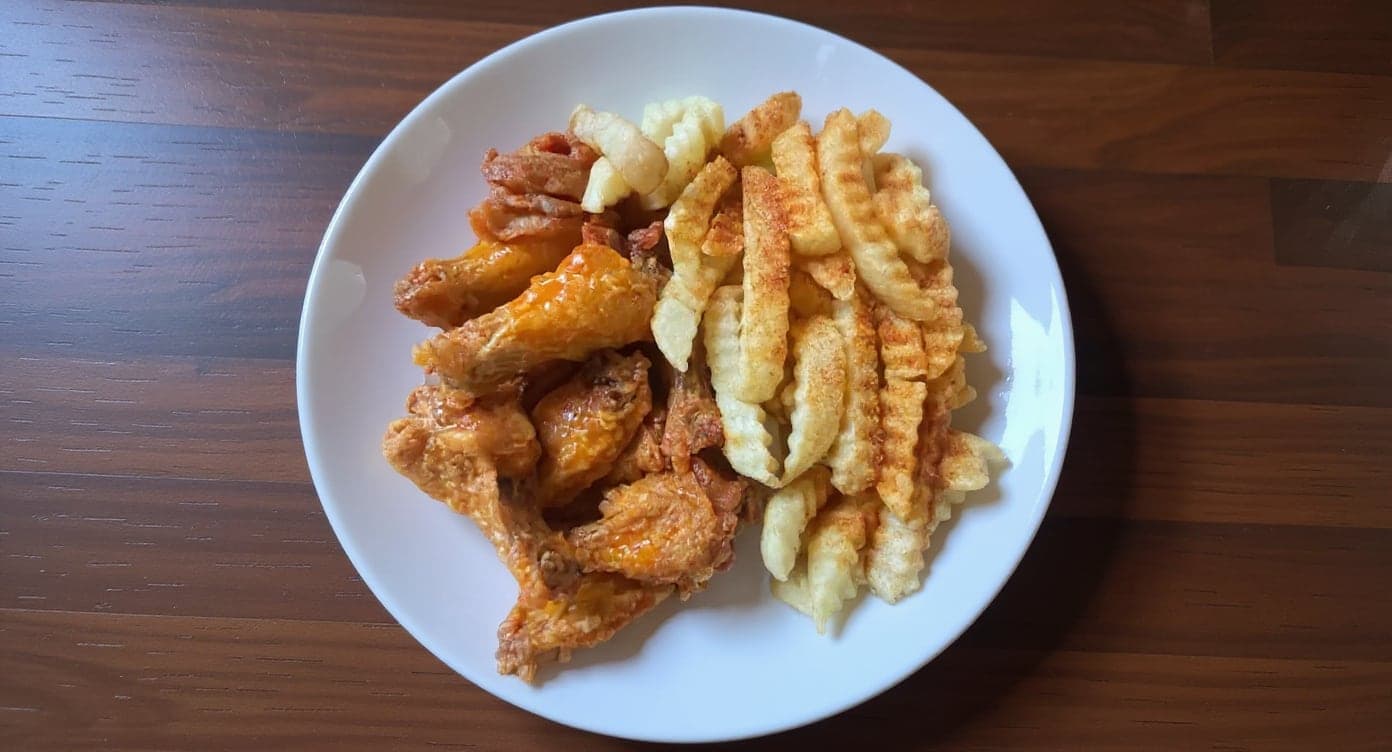
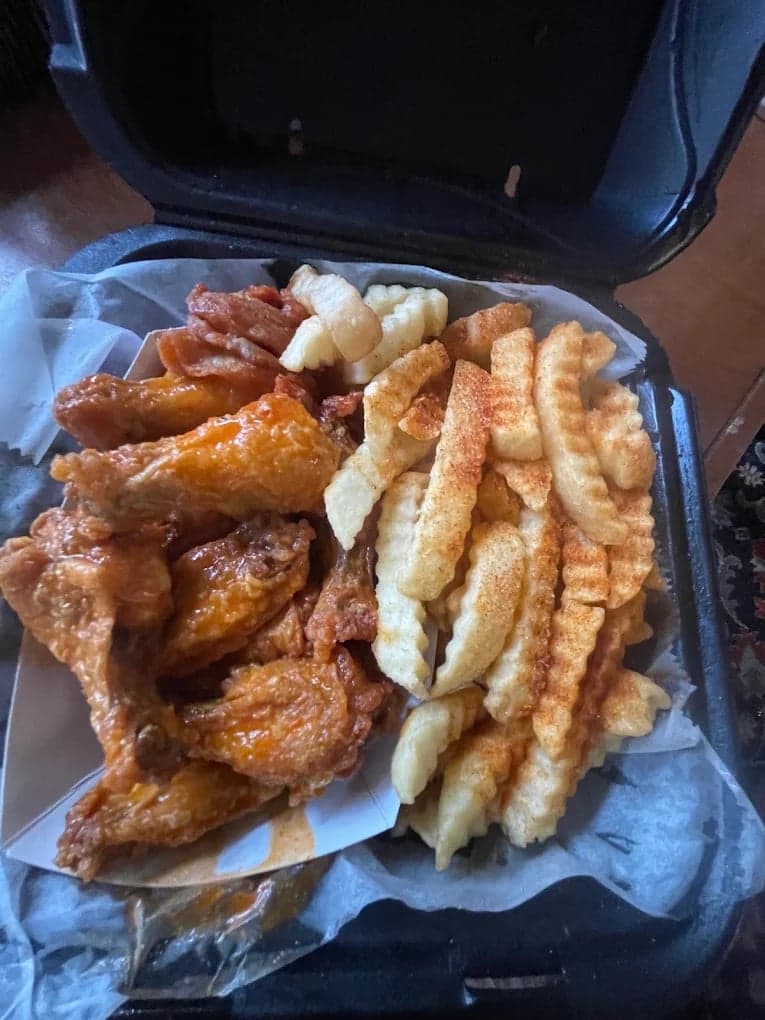
We hadn't updated our photos in three years. This finally got our DoorDash listing looking current.
5 photos free · No credit card · No watermark
Keep reading
- Why was your DoorDash photo rejected?DoorDash
- Which spec do you follow when a platform publishes two?All platforms
- What photos do catering platforms like ezCater require?Catering
- What is a virtual brand on DoorDash, and what photos does it need?Ghost kitchens
- What are Uber Eats' menu photo requirements?Uber Eats
- Why do my restaurant food photos look dark and yellow?Lighting

Su Lee
Founder, MenuPhotoLab · Atlanta, Georgia
I have photographed Atlanta restaurants for six years as a food creator, and for the last two my sister and I have run SocialLee Agency, shooting and uploading menus for independent restaurants around metro Atlanta.
Sources
- DoorDash Help Center, Common reasons for rejected menu photos (flavor and protein rule, bundles, 80% visible, 50-70% fill, hands, text, 16:9), read
- Uber Help, Store submitted menu photo guidelines (single item, no unsanitary plating or packaging, centered, 5:4 to 6:4). Read in a rendered browser; plain curl returns 404, read
- DoorDash for Merchants, How to add photos to your DoorDash store (photo requirements overview), read
- Grubhub, Getting started with your Grubhub menu (Photo and Modifiers listed as separate item fields; no variation rule found), read
Platform requirements change. This page carries the date each source was last checked.
Not affiliated with DoorDash, Uber Eats, Grubhub.