
What are the alternatives to MenuPhotoAI?
The closest alternatives are the other AI tools built for food photos: MenuReady, MenuCapture, FoodPhoto.ai, FoodShot and MenuPhotoLab. They differ on price per photo and on what they can change. Bought outright, a photo costs $1.19 to $1.96 at MenuPhotoAI and $0.45 to $0.65 at MenuPhotoLab. Some tools only edit the dish you photographed; others can change what is on the plate.

Su Lee · Founder, MenuPhotoLab
9 min read · Sources last read · 14 sources
On this page · 8 sections
- What does one photo cost at each tool?
- Which tools are actually comparable to MenuPhotoAI?
- Which of these can change the food itself?
- How does MenuPhotoAI compare with MenuPhotoLab?
- What is genuinely the same between them?
- Where do they actually differ?
- When should you pick one of the others?
- Frequently asked questions
Read in another language
What does one photo cost at each tool?
Compare price per photo, not the sticker price of a plan. The plans include very different numbers of photos: MenuPhotoAI's $49 monthly plan includes 50 photos, and MenuPhotoLab's $79 plan includes 300. The cheaper sticker is the more expensive photo.
| Tool | Buying photos outright | On a monthly plan | Smallest purchase |
|---|---|---|---|
| MenuPhotoAI | $1.19 to $1.96 a photo | $0.89 to $1.56 a photo | $49 for 25 photos |
| MenuReady | $0.99 to $1.75 a photo, and never more than $49 for a whole menu | No monthly plan | $1.75 for 1 photo |
| MenuCapture | No one-time purchase | $9 a week for 1,500 edits a month | $9 for a week |
| FoodPhoto.ai | $0.28 to $0.50 a photo | Roughly $0.06 to $0.25 a photo | $5 for 10 photos |
| FoodShot | No one-time purchase | $0.40 to $0.60 a credit ($0.24 to $0.36 billed yearly) | $15 for 25 credits |
| MenuPhotoLab | $0.45 to $0.65 a photo | $0.26 to $0.58 a photo | $13 for 20 photos |
Against MenuPhotoAI, MenuPhotoLab costs two to four times less per photo at every size. Two tools beat it in particular cases. MenuReady is cheaper if you need only a few photos, or if you put a whole menu through it, because of its $49 cap. FoodPhoto.ai is cheaper per photo at every size, and it can also generate new food photos, which matters for delivery menus for the reasons below.
Which tools are actually comparable to MenuPhotoAI?
MenuPhotoAI is built for one job: you upload a phone photo of a dish, and it comes back ready for delivery apps. The tools worth comparing it with are the other ones built for food. General image editors such as Photoroom, Canva and Claid can also produce a menu photo, and I compare those separately in the guide on the best tool for menu photos.
| Tool | What it does to your photo | How you pay | Free to try | Delivery apps named on its site |
|---|---|---|---|---|
| MenuPhotoAI | Enhances the dish you photographed: "We enhance your actual food, never generate fake dishes." | Packs: $49 for 25, $65 for 50, $119 for 100. Or $39 to $89 a month | 5 test images, no card | DoorDash, Uber Eats, Grubhub |
| MenuReady | Enhances lighting, color and composition | Pay per download, $1.75 down to $0.99 each, capped at $49 for a whole menu. No subscription | Preview free, with a watermark | DoorDash, Uber Eats, Grubhub, Postmates |
| MenuCapture | Edits by typed instruction, including ingredient swaps | $9 a week, or $159 a year. 1,500 edits a month | Free preset tools, no account | DoorDash, Uber Eats |
| FoodPhoto.ai | Photos, menus, posts and video in one studio. Can generate new photos | Packs: $5 for 10, $15 for 40, $39 for 120, $99 for 350. Or $15 to $120 a month | 2 previews, no card | None named on its pricing page |
| FoodShot | Generates styled variations from one upload. Billed per image generation | $15 for 25, $45 for 100, $99 for 250 credits a month | None listed on its pricing page | None named on its home or pricing page |
| MenuPhotoLab | Enhances the dish you photographed. Portion and ingredients are not changed | Packs: $13 for 20, $25 for 50, $45 for 100. Or $29 to $79 a month | 5 photos, no card, no watermark | DoorDash, Uber Eats, Grubhub |
Which of these can change the food itself?
This matters more than any row about price. DoorDash publishes eleven reasons it rejects menu photos, and one of them is "Photo is not representative of the item, or a mismatch". A delivery photo has to show the dish the customer actually receives. So the first question to ask about any of these tools is what it is able to change.
MenuPhotoAI and MenuPhotoLab
both say they enhance the photo you took and do not generate food. MenuPhotoAI puts it as "We enhance your actual food, never generate fake dishes."
MenuCapture
says "It never generates fake food" on its homepage, and its pricing page advertises swapping ingredients, "chicken to beef, fries to vegetables", and typed edits like "add crispy bacon". Nothing is generated from scratch, but a swapped ingredient is a photo of a dish nobody ordered.
FoodShot
counts its credits in image generations and describes generating "multiple styles from a single upload".
FoodPhoto.ai
says generating new photos draws on the same plan as its other work.
MenuReady
describes its AI as transforming "lighting, color, and composition".
None of that makes a tool bad. An ingredient swap is genuinely useful for a social post about a special you have not cooked yet, and generated variations are useful for a campaign. They are the wrong tool for a delivery menu photo, where the picture has to match the plate.
The same test applies to us. MenuPhotoLab can restage the plate or bowl a dish sits in, which does not change the food and is what DoorDash's own AI Replate does. It can still mislead when the vessel is part of the dish, like a sizzling skillet. I go through exactly where that line sits, with our own output failing it, in the guide on AI-generated food photos.
How does MenuPhotoAI compare with MenuPhotoLab?
These are the two I use on real client menus, so this is the closest comparison on the page. Both sell packs of photos outright, both also sell monthly plans, and both let you try five images free.
| MenuPhotoAI | MenuPhotoLab | |
|---|---|---|
| Free tier | 5 test images, with 2 free re-edits on each | 5 photos, no card, no watermark |
| Buy 20 to 25 photos | $49 for 25 | $13 for 20 |
| Buy 50 photos | $65 | $25 |
| Buy 100 photos | $119 | $45 |
| Per photo at 50 | $1.30 | $0.50 |
| Per photo at 100 | $1.19 | $0.45 |
| Monthly plans | $39 for 25, $49 for 50, $89 for 100 a month | $29 for 50, $79 for 300 a month |
| Per photo on the smallest monthly plan | $1.56 | $0.58 |
| Per photo on the largest monthly plan | $0.89 | $0.26 |
| Commercial use | Full commercial license listed on paid tiers | Terms grant commercial use of your enhanced photos, with no paid-plan condition |
| Delivery apps named | DoorDash, Uber Eats, Grubhub | DoorDash, Uber Eats, Grubhub |
| Languages | English, with Korean, Japanese, Chinese, Italian, French, German and Spanish versions linked in its footer | English, Korean, Chinese, Japanese, Spanish |
What is genuinely the same between them?
Both enhance a real photo you took
Neither generates a dish from a text prompt as its product. MenuPhotoAI makes the same promise about not inventing food that we do, and they made it first.
Both give you five free images
without a card.
Both name DoorDash, Uber Eats and Grubhub
on their sites.
Both were built by people who photograph food
MenuPhotoAI's founders write that they "spent years photographing food for restaurants across Europe". I spent six years photographing Atlanta restaurants.
Where do they actually differ?
Photos per dollar
Bought outright, 50 photos is $25 here against $65 there, and 100 is $45 against $119. For a menu of any real size this is the largest single difference. Their $49 monthly plan has a lower sticker price than our $79 one, but it includes 50 photos against 300: $0.98 a photo against $0.26.
Grubhub, in depth
Both sites name it now. MenuPhotoAI's pricing page lists Grubhub with DoorDash and Uber Eats as the apps its delivery styles are made for, while its plan features say "DoorDash & Uber Eats ready". MenuPhotoLab also documents what Grubhub itself publishes, which differs from the other two, in the Grubhub guides in this library.
Commercial use on the free tier
Our terms grant commercial use of enhanced photos without a paid-plan condition. MenuPhotoAI lists its commercial license as a paid-tier feature.
Who the other languages are for
Both run in more than English. MenuPhotoAI links Korean, Japanese and Chinese pages and four European ones; its Korean page is written for restaurants on Baemin and Coupang Eats, and its Japanese page for Uber Eats and Demae-can, the delivery apps of those countries. MenuPhotoLab's Korean, Chinese, Japanese and Spanish are for operators in the United States selling on DoorDash, Uber Eats and Grubhub, and this guide library exists in those languages.
Style library size
Theirs is larger. Their pricing page lists 8 delivery app styles and 18 product photography styles. Ours is a smaller set built around what the delivery platforms accept.
When should you pick one of the others?
There are real cases for every tool on this list, and pretending otherwise would make the rest of this page less trustworthy.
MenuPhotoAI, if you want a wide range of editorial looks, or if their founders' photography is what convinces you. Buying from people whose work you have seen is not a mistake.
MenuReady, if you only need a few photos. You preview free and pay per download, $1.75 each for one to four photos, which is cheaper than any pack here at very low volume. It also caps a whole menu at $49.
MenuCapture, if you edit hundreds of images a month, mostly for social media. 1,500 edits for $9 a week is the lowest cost per edit here. Keep ingredient swaps off your delivery menu.
FoodPhoto.ai, if you want menus, QR codes, posts and short video in one place, if you want the lowest pack price on this page ($5 for 10 photos, cheaper per photo than mine), or if you work in Spanish, Portuguese, French, German or Italian.
FoodShot, if you want many styled variations for marketing rather than one photo that has to match the plate.
Frequently asked questions
What is the best alternative to MenuPhotoAI?
It depends on the job. For delivery menu photos that must match the dish, pick a tool that only enhances the photo you took: MenuPhotoLab, MenuReady, or MenuPhotoAI itself. For social posts and campaigns, MenuCapture, FoodPhoto.ai and FoodShot can also change or generate imagery. On price, 50 photos cost $25 at MenuPhotoLab against $65 at MenuPhotoAI.
Is MenuPhotoLab cheaper than MenuPhotoAI?
Per photo, yes, as of 2026-10-11, by two to four times. Buying outright, 50 photos cost $25 at MenuPhotoLab against $65 at MenuPhotoAI, and 100 cost $45 against $119. On monthly plans, a photo costs $0.26 to $0.58 at MenuPhotoLab and $0.89 to $1.56 at MenuPhotoAI. Both companies change prices, so check both pricing pages before deciding.
Which MenuPhotoAI alternatives can change the food in a photo?
MenuCapture advertises ingredient swaps such as chicken to beef, and FoodShot bills by image generation. FoodPhoto.ai can generate new photos too. DoorDash rejects photos that are not representative of the item, so a delivery menu photo should show the dish the customer receives. Use those features for marketing, not for menu listings.
Do these tools support Grubhub?
As of 2026-10-02, MenuReady, MenuPhotoAI and MenuPhotoLab name Grubhub on their sites. MenuCapture names DoorDash and Uber Eats but not Grubhub, and FoodPhoto.ai and FoodShot name none of the three on the pages read. Grubhub publishes different image requirements from DoorDash and Uber Eats, so check that a tool exports what Grubhub asks for.
Is this MenuPhotoAI comparison neutral?
No. It is published by MenuPhotoLab, so read it as one side's account and check the numbers yourself. Every figure was read off each company's own public pages, prices on 2026-10-11 and everything else on 2026-10-02, and every page is linked in the sources below so you can verify rather than take our word for it.
Real client work
A real restaurant's takeout photo, now live on DoorDash
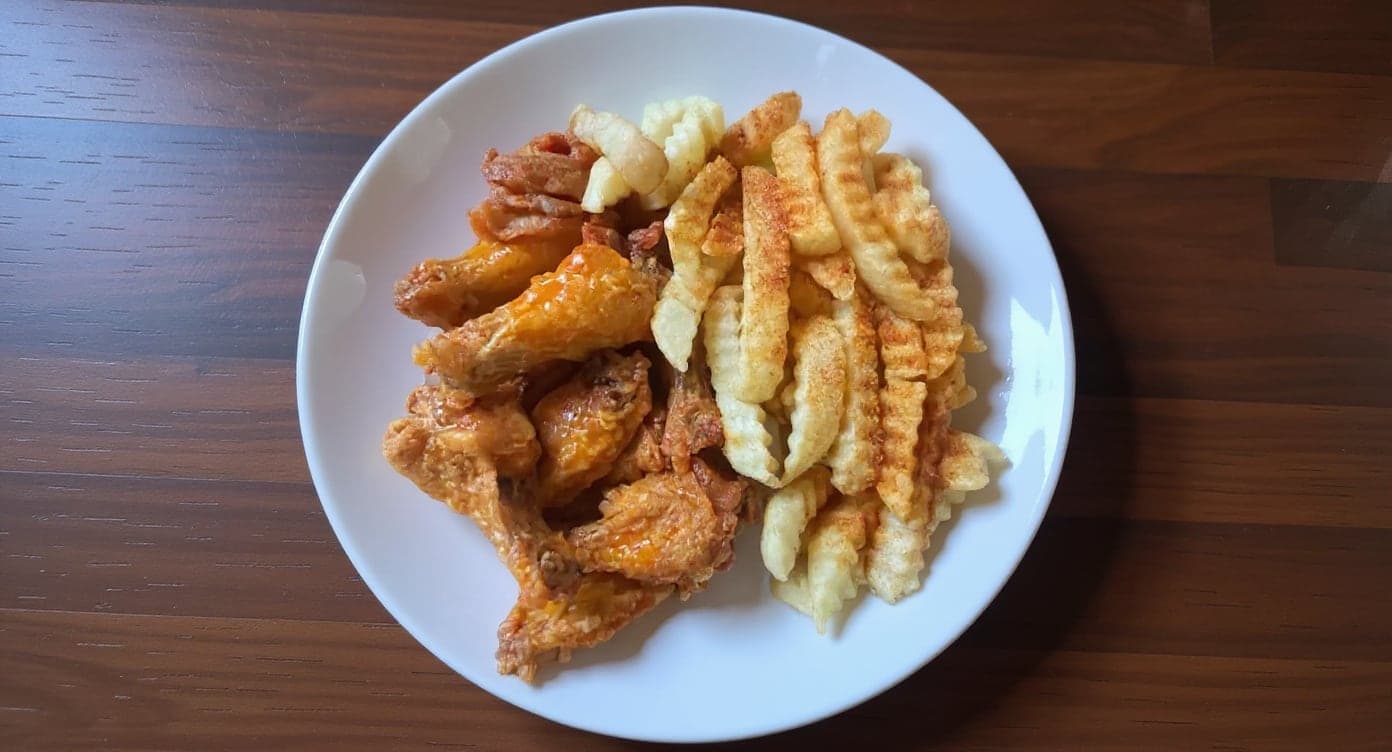
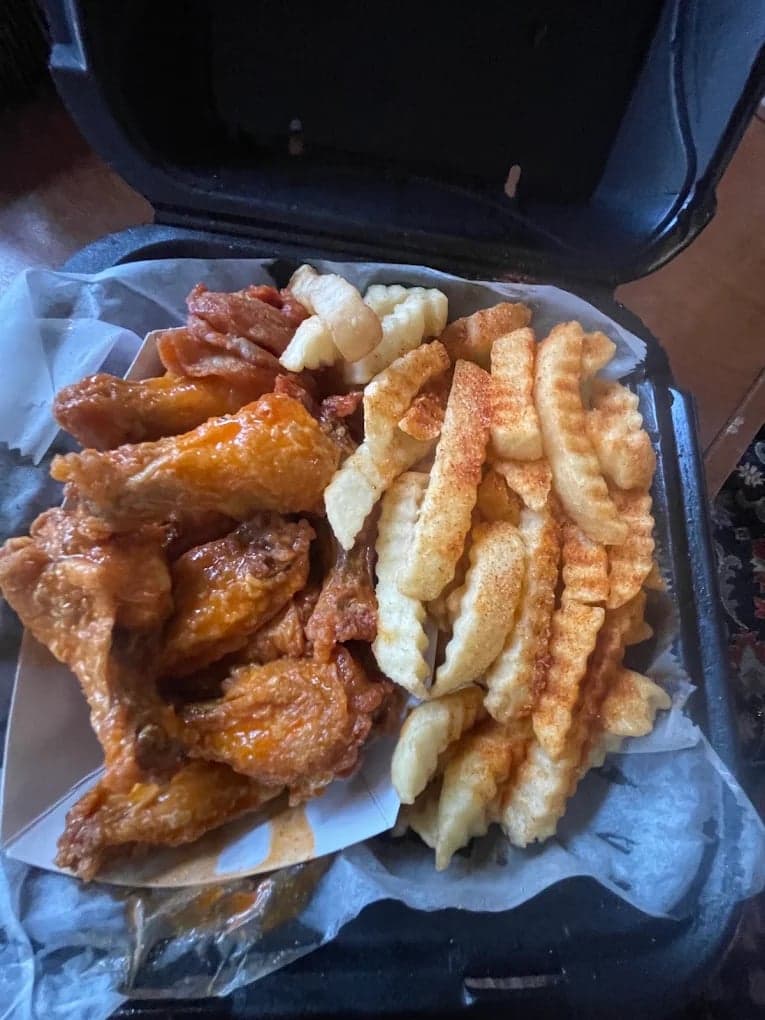
It genuinely looks like we hired a professional photographer. Thank you!
5 photos free · No credit card · No watermark
Keep reading

Su Lee
Founder, MenuPhotoLab · Atlanta, Georgia
I have photographed Atlanta restaurants for six years as a food creator, and for the last two my sister and I have run SocialLee Agency, shooting and uploading menus for independent restaurants around metro Atlanta.
Sources (14, each with the date it was read)
- MenuPhotoAI pricing (plans, one-time packs, and the FAQ line naming Grubhub), read
- MenuPhotoAI home, read
- MenuPhotoAI about (founders), read
- MenuPhotoAI, Korean page (written for Baemin and Coupang Eats), read
- MenuPhotoAI, Japanese page (written for Uber Eats and Demae-can), read
- MenuReady home and pricing, read
- MenuCapture home, read
- MenuCapture pricing (ingredient swaps, plans), read
- FoodPhoto.ai plans, read
- FoodShot home, read
- FoodShot pricing (JavaScript only; the same plans are on the home page, re-read 2026-10-02), read
- MenuPhotoLab pricing, read
- MenuPhotoLab terms (commercial use), read
- DoorDash, Why your menu photos were rejected and how to fix them (not representative of the item), read
Platform requirements change. This page carries the date each source was last checked.
Not affiliated with DoorDash, Uber Eats, Grubhub.