
Can I sell meal prep on DoorDash or Uber Eats?
Yes, from a licensed commercial kitchen. Uber Eats asks for a health department permit that matches your delivery address, and DoorDash bars residential kitchens for virtual brands. But the apps sell one order at a time: Grubhub takes preorders 2 hours to 4 days ahead, and none describes a weekly plan. Weekly orders need your own ordering page.

Su Lee · Founder, MenuPhotoLab
Six years photographing Atlanta restaurants, and two running SocialLee, uploading their menus to DoorDash, Uber Eats and Grubhub.
Sources last read · 20 sources
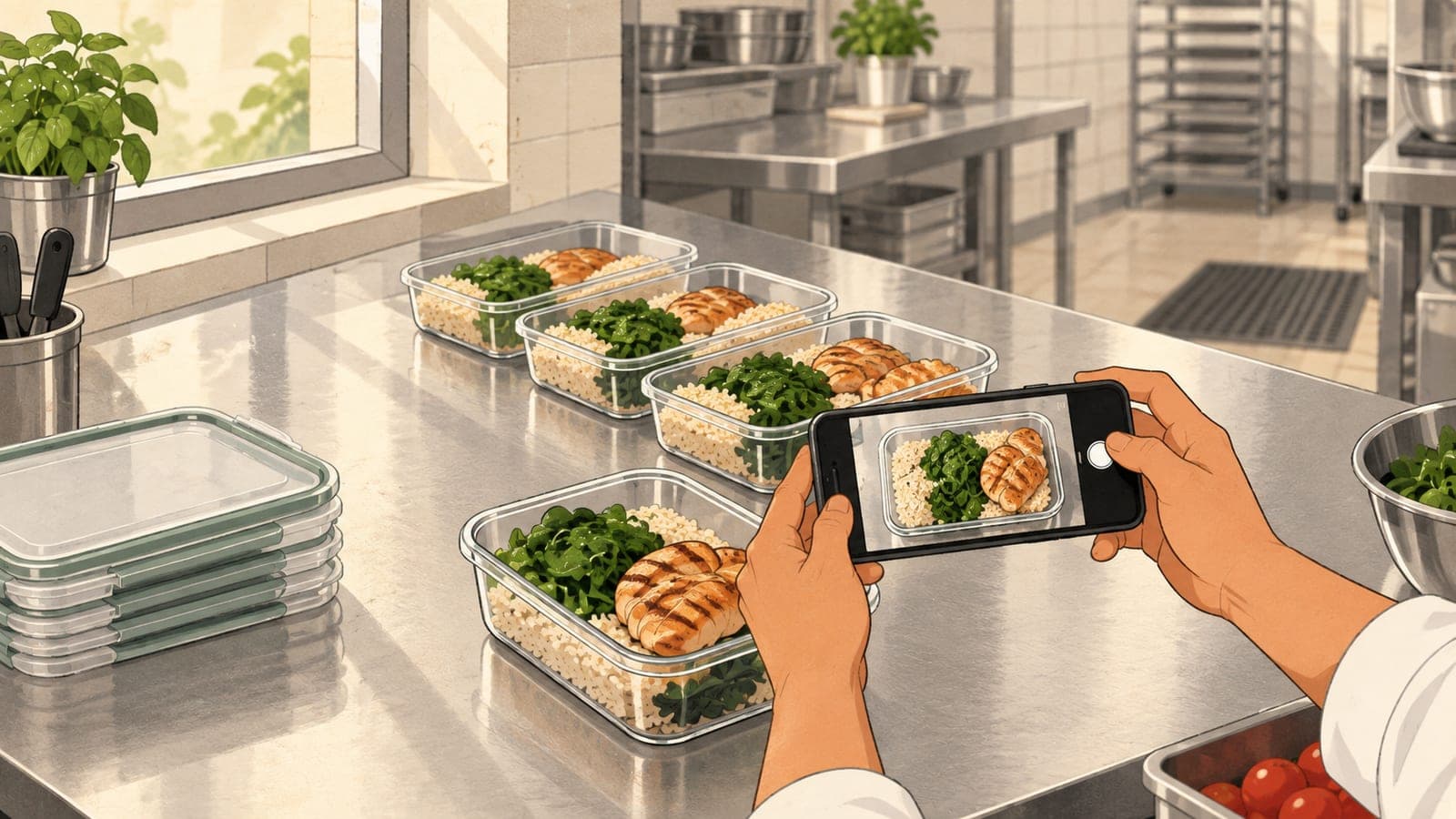
Can a meal prep business list on DoorDash, Uber Eats or Grubhub?
Yes, as a licensed food business. None of the three publishes a rule about meal prep by name, so what decides it is the same thing that decides it for any kitchen: the permit, and the address on it.
DoorDash
Yes, from a licensed kitchen
Its sign-up guide asks for business, tax and bank details. Its virtual brand rules require a licensed commercial kitchen.
Uber Eats
Yes, with a food permit
Asks for a license or permit issued by a health department, at the address you deliver from.
Grubhub
No kitchen rule published
Its restaurant terms require compliance with retail food and health codes and name no kitchen type.
From a home kitchen
No
DoorDash bars residential kitchens for virtual brands, Cottage Food permits included. See the home kitchen guide.
A weekly plan on the apps
Not described
Each app describes single scheduled orders. None of the pages I read describes a recurring order.
Your own ordering page
Yes
Square, Shopify and Hotplate each publish scheduling, lead time or subscription tools.
Uber is the most explicit about what the permit has to be. Its licensing article gives the same sentence for stores with a permanent location and for virtual kitchens:
A store license/permit should be issued by a health department or relevant government agency and authorize your food service establishment to handle and serve food to the general public. Please make sure that the address listed on the license/permit matches the address used for doing deliveries on Uber Eats.
Two details in that article matter to a new business. Uber says it matches your business name and address against government licensing databases at sign-up, and asks for the license itself when it cannot. And it names the documents that do not count: "Food handler certifications, for example, confirm the completion of a food safety course but do not independently authorize a store to operate in most jurisdictions." Tax documents and occupancy permits are on the same list.
DoorDash's sign-up guide asks for a legal business name, an EIN, the owner's name and date of birth, and bank details. It does not mention the kitchen. That rule sits in its virtual brand requirements, which say brands must "operate out of a licensed commercial kitchen". If you cook at home, the home kitchen guide covers what that rule and state law leave open.
Which DoorDash business type is a meal prep company?
DoorDash does not say. Its merchant sign-up form asks for a business type first, and the wording of the options is the only place I found DoorDash placing packaged meals anywhere:
| Option on DoorDash's sign-up form | What it means for meal prep |
|---|---|
| Restaurant | Food cooked to order. Where a kitchen selling hot or same-day meals would look first |
| Grocery (fresh produce, perishables, shelf stable products, dairy goods, pre-packaged meals) | The only option that names packaged meals |
| Convenience (everyday products, shelf-stable products, hot food / ready to eat) | Names ready-to-eat food, alongside everyday products |
DoorDash publishes no definition of which type a meal prep company belongs to, and nothing saying the choice changes how a store is reviewed. So ask its sales team before you sign up, and say plainly what you sell: chilled meals in sealed containers, cooked in a licensed kitchen, eaten later. Uber's licensing article covers three kinds of operation, permanent locations, virtual kitchens and food trucks, and meal prep is not named in it.
Can customers order a week of meals through the delivery apps?
They can order ahead. They cannot, on anything these pages describe, subscribe. Each app publishes how a scheduled order works, and each one is a single order for a single delivery window.
| Platform | What it publishes about ordering ahead |
|---|---|
| DoorDash | Customers choose Scheduled at checkout and pick a date and time. For the store, "Scheduled orders move to the Active tab based on the pickup time and your set prep time." No maximum is stated on either page |
| Uber Eats | "Uber Eats customers can place orders in advance for a scheduled delivery window." Also: "Only items available during the scheduled pickup time will be available for pre-order", and "Scheduled orders cannot be cancelled after you accept them." |
| Grubhub | "Customers can preorder anywhere from 2 hours to 4 days before they want to receive their order." The same page later says up to 7 days on the Grubhub.com desktop site and up to 4 days in the mobile app |
That leaves two ways to use the apps: single meals for people who want one tonight, or a pack, five lunches for example, listed as one item at one price. A pack is one item to the platform, which matters for its photo, covered below.
Where do meal prep businesses take weekly orders instead?
On an ordering page they control. The weekly rhythm, order by Thursday, pick up Sunday, is a setting on these tools and not on the delivery apps.
| Tool | What it publishes for ordering ahead |
|---|---|
| Square Online | A lead time ("Set the number of days in advance your customers must place pickup orders"), a daily cut off time, and order scheduling a set number of days ahead. Separately, an item can be sold as a preorder for a date "from 24 hours up to 365 days in advance" |
| Shopify Subscriptions | "Create auto-billed subscriptions that renew weekly, monthly, or yearly." Customers can skip, pause or cancel from their account |
| Hotplate | "A drop is how you take orders on Hotplate. You choose what’s for sale, when orders open/close, and when customers pick up." No monthly fee; the customer pays 5% of the subtotal plus 55 cents, and you pay 2.9% plus 30 cents for card processing. Courier delivery is available in select states |
Get the permit in the business's name, at the kitchen's address
Usually a licensed commissary or shared kitchen. Uber checks the name and address against government records, so they must match what you sign up with.
Take weekly orders on your own page
Set a lead time and a cut off so orders close before you shop and cook. Plans, packs and repeat customers live here.
Photograph every meal the way it is handed over
In its container, lid off, on a plain surface. One photo per meal, plus one for each pack sold as a single item.
Add the delivery apps for single orders
Each app needs the same photo in a different shape, set out in the photo specs comparison.
Should a meal prep photo show the container or a plate?
This is the photo question only this kind of seller has. A restaurant customer gets a dish. Your customer gets a sealed container. DoorDash's rule on what a photo must represent reads:
Images must reflect the actual item served, not an idealized or generic version
| Platform | Its wording that touches packaging |
|---|---|
| DoorDash | "The photo must show exactly what is included with the menu item". One item per photo, "unless multiple items are sold together (for example, family meals or bundles)". It suggests "natural, neutral surfaces (tables, counters, trays)" |
| Uber Eats | The photo must "Accurately represent a single item from your Uber Eats Menu". It cannot "Depict an unsanitary environment (including dirty surfaces, plating/packaging, or used cutlery)". Logos and text are allowed "on packaging/plating" |
| ezCater, for comparison | "Match the portion size and packaging the customer actually receives" |
Neither delivery app says in so many words that the container must be in the photo. ezCater, a catering marketplace, is the one that names packaging. But DoorDash's sentence points the same way: a meal styled on a dinner plate, when it arrives in a tray, is the idealized version. My reading, and it is a reading: photograph the meal in the container it ships in, lid off so the food is visible. Both apps accept a logo printed on the packaging itself.
A pack sold as one item gets one photo with every container in frame, because DoorDash allows several items in a photo only when they are sold together. Sizes are the same as for any menu item: DoorDash wants landscape 16:9 at 1400 x 800 pixels or larger, detailed in the DoorDash photo requirements guide. For your own ordering page, Square recommends at least 2000 x 2000 pixels at 1:1. The catering guide covers trays and group portions.
What this means if you sell in more than one place
One original, several shapes. Your ordering page wants a square, DoorDash wants 16:9, Uber Eats wants 5:4 to 6:4. Shoot wider than the container, with empty surface on every side, so each crop keeps the whole meal.
The apps are the front door, your page is the plan. A customer who finds you on a delivery app can only place single orders there. Weekly orders need the page where you set the lead time.
A rotating menu means rotating photos. Every new meal needs its own photo on every listing. Last week's photo on a different meal is what DoorDash calls not representative of the item.
I started MenuPhotoLab for restaurants on the delivery apps, and a rotating meal prep menu is the same job every week: you photograph each container on your phone, and MenuPhotoLab fixes the light, color and background and prepares the shapes for your ordering page and each app. I never generate food or change the portion, because the photo has to be what your customer opens.
Frequently asked questions
Can I sell meal prep on DoorDash?
Yes, as a licensed food business. DoorDash's sign-up guide asks for a legal business name, an EIN, the owner's details and a bank account, and its virtual brand rules require a licensed commercial kitchen and exclude residential kitchens. DoorDash publishes no meal prep category. Its sign-up form lists pre-packaged meals under Grocery, so ask its sales team which business type fits what you sell.
Do I need a commercial kitchen to sell meal prep on Uber Eats?
Uber asks for a license or permit issued by a health department or relevant government agency that authorizes your food service establishment to handle and serve food to the general public, at the address you deliver from. Whether a given kitchen can hold that permit is decided by your health department, not by Uber. Uber says it checks your business name and address against government licensing records at sign-up.
Is a food handler card enough to list on Uber Eats?
No. Uber's licensing article says food handler certifications confirm the completion of a food safety course but do not independently authorize a store to operate in most jurisdictions, and that incorrect documents will be rejected. It says the same of tax documents and occupancy permits. The document Uber asks for is the store's food license or permit.
Can customers subscribe to weekly meal prep on a delivery app?
Not on anything the three apps describe. DoorDash, Uber Eats and Grubhub each publish how scheduled orders work, and each one is a single order for one delivery window. Grubhub's article says customers can preorder from 2 hours to 4 days ahead. Recurring weekly orders are a feature of ordering tools such as Shopify Subscriptions, which renews weekly, monthly or yearly.
How should I photograph meal prep containers for a delivery app listing?
Show the meal as it is handed over: in its container, lid off, on a plain surface, one meal per photo. DoorDash says images must reflect the actual item served, not an idealized or generic version, and Uber says the photo must accurately represent a single item. A pack sold as one item gets one photo with every container in frame.
Real client work
A real restaurant's takeout photo, ready for DoorDash
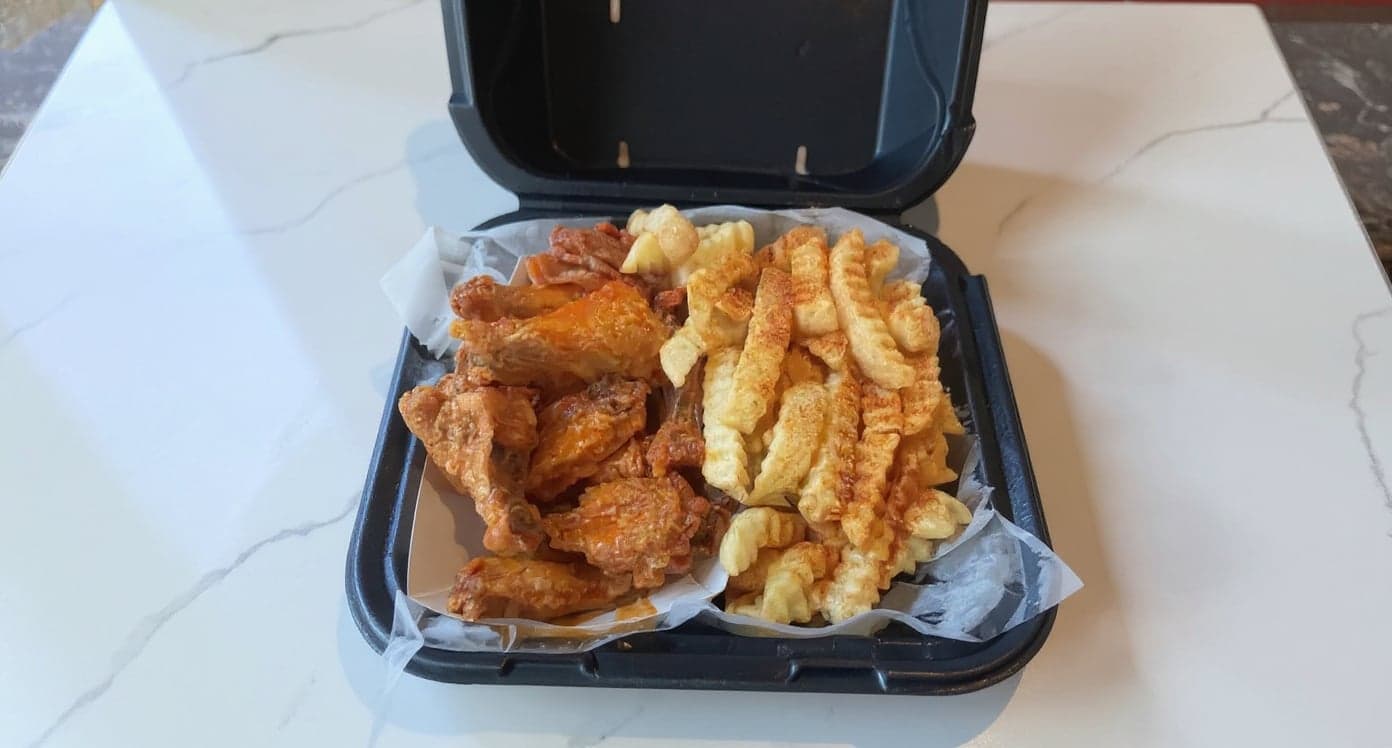
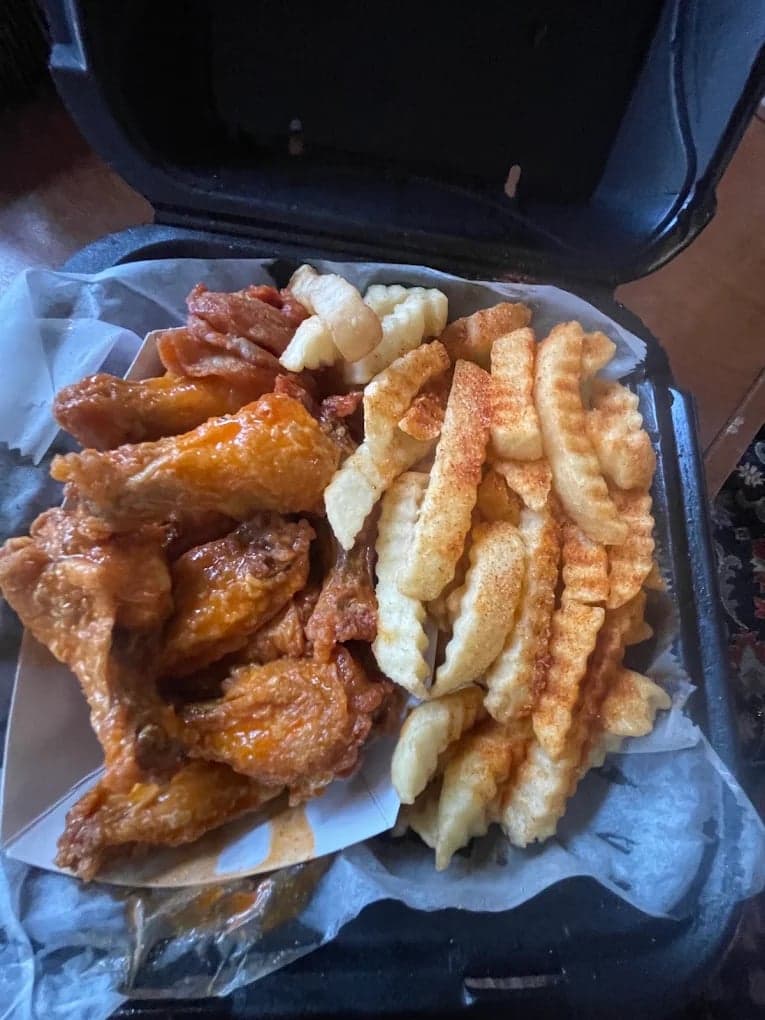
We hadn't updated our photos in three years. This finally got our DoorDash listing looking current.
5 photos free · No credit card · No watermark
Keep reading

Su Lee
Founder, MenuPhotoLab · Atlanta, Georgia
I have photographed Atlanta restaurants for six years as a food creator, and for the last two my sister and I have run SocialLee, shooting and uploading menus for independent restaurants around metro Atlanta. I wrote this page the way I wish the platforms had written theirs: every number read off their own documentation, with the date I read it, and where they contradict themselves I say so.
Sources
- Uber Help, Food licensing requirements (permit sentence, quoted; food handler certifications; JavaScript page, read as rendered text), read
- Uber Help, What are scheduled orders? (JavaScript page, read as rendered text), read
- Uber Help, Merchant submitted menu catalog photo guidelines (item photo rules; JavaScript page, read as rendered text), read
- DoorDash for Merchants, How to get started on DoorDash (sign-up requirements), read
- DoorDash for Merchants, business types page (the "Select your business type" options), read
- DoorDash Help Center, Virtual Brand Quality Requirements Overview (licensed commercial kitchen), read
- DoorDash Help Center, Common photo issues explained (representation, quoted), read
- DoorDash Help Center, Can I schedule a delivery in advance? (customer side), read
- DoorDash for Merchants, How to receive orders on your DoorDash tablet (scheduled orders), read
- Grubhub for Restaurants, How to manage Grubhub scheduled orders (both preorder figures), read
- Grubhub, Restaurant terms and conditions (health code compliance), read
- Square Support, Set up pickup options for your online ordering profile (lead time, cut off, scheduling), read
- Square Support, Set up items for online preordering, read
- Square Support, Upload images to your item library, read
- Shopify Help Center, Shopify Subscriptions, read
- Hotplate Help Center, How to create a drop, read
- Hotplate Help Center, Understanding Hotplate's pricing, read
- Hotplate Help Center, Delivery on Hotplate, read
- ezCater Help, Your menu photos (portion and packaging), read
- USDA Food Safety and Inspection Service, Retail Exemptions Adjusted Dollar Limitations (background section; read in a browser, curl returns 403), read
Platform requirements change. This page carries the date each source was last checked.
Not affiliated with DoorDash, Uber Eats, Grubhub, Square, Shopify, Hotplate, ezCater.