
What food photos does Google allow on your restaurant's Business Profile?
Google Business Profile accepts JPG or PNG food photos between 10 KB and 5 MB, at least 250 x 250 pixels and ideally 720 x 720, with no required shape. Google removes photos with added text, borders or prices, stock images, and heavy filtering or AI alteration. And it may show a customer's photo instead of your chosen cover.

Su Lee · Founder, MenuPhotoLab
Six years photographing Atlanta restaurants, and two running SocialLee, uploading their menus to DoorDash, Uber Eats and Grubhub.
Sources last read · 11 sources
Will your photo pass Google Business Profile?
Check its size, shape and file type against Google Business Profile’s published rules in a few seconds. The photo stays on your device and nothing is uploaded.
Drop a photo here, or choose one from your phone or computer.
The size rules on Google are easy to meet. What catches restaurants is everything else: the photo has to look like what a customer would see in person, and Google, not you, decides which photo shows first.
What size should restaurant photos be on Google Business Profile?
| Google Business Profile | |
|---|---|
| Item photo shape | Not stated |
| Minimum size | 250 x 250 px |
| File types | JPG or PNG |
| File size cap | 5 MB |
| Source | Read 2026-09-25 |
Google's help page lists four numbers: JPG or PNG, between 10 KB and 5 MB, a minimum of 250 x 250 pixels and a recommended 720 x 720. Its developer documentation adds that apart from the profile and cover photos, every photo must be at least 250 pixels on the short edge and at least 10,240 bytes, so at least the API enforces the floor.
I found no aspect ratio on any Google page I checked, and no separate cover or logo size. The 16:9 cover and 1080 x 608 figures that circulate in third-party guides are ones I could not trace to any Google page.
For restaurants, Google's own advice is a number of photos, not a size:
Add at least three photos of the food or drinks you serve.
What gets a restaurant's photo removed from Google?
Google reviews every upload before it shows. Its help page sets the standard in one sentence, and the newer version of that page names AI:
The photo should be in focus and well lit, and have no significant alterations or excessive use of filters or AI. In other words, the image should represent reality.
Business photos also have to meet the Google Maps content policy, which is where the specific removals come from:
Avoid screenshots, stock photos, GIFs, collages, heavily edited or otherwise manipulated photos, or imagery created by other parties.
| What is in the photo | Google Business Profile | DoorDash |
|---|---|---|
| Text or a border added on top | Removed: "Avoid adding elements such as borders, text, or collaged images." | Rejected: photos must be "without added elements like extra text, graphics, or borders" |
| Prices, deals, "order now" | Removed: "Time-bound promotions, pricing, or direct calls-to-action." | Rejected as added text |
| Stock or borrowed photos | Removed: "Avoid screenshots, stock photos" | Rejected: "don't use clip art, illustrations, or stock graphics" |
| Heavy filters or AI | Guidance, not a listed removal: "no significant alterations or excessive use of filters or AI" | Must reflect "the actual item served" |
| A photo of your printed menu | Allowed: listed as incidental, "Images of menus." | Not a menu item photo |
One line in the policy is worth knowing before you appeal anything: "Low quality media may be removed; quality removals can't be appealed." The fix for a removed photo is a better photo, not an argument.
Why isn't my cover photo showing first on Google?
Because choosing a cover is a request, not a setting. Google's help page says setting a cover "doesn't guarantee the cover photo will show up as the first image for your business", and gives the reason:
If the cover photo you select is low-quality or if other sources suggest that it's not the best photo to represent your business, a user-submitted photo may be selected instead.
The same page says "your newest media appears first", and that photos only show once your profile is verified. So the practical order is: verify the profile, upload a sharp, well-lit photo of your best dish, and expect Google to weigh it against what customers have posted.
Can I remove customers' photos of my food?
Only by reporting them. Google is direct about it: "You can't stop customers from posting photo updates, but you can report inappropriate photos." A photo that breaks the policy can be flagged for removal, and Google says that review "can take several business days". A photo that is merely unflattering stays.
That makes your own photos the only real lever. The delivery apps work the same way: DoorDash and Uber Eats both publish ways of filling an item you leave without a photo, covered in the guide on menu items without photos.
Can I add photos to my menu on Google?
Menu items with photos. Google says food and drink businesses can list menu items with descriptions and prices, and "Once the menu is published, you can make edits and add photos of items to your menu." That wording sits in a flow Google calls experimental, so the option may not appear for every profile.
Popular dishes. Both you and customers can add dish photos and names, and "dish names added by you will get precedence over dish names added by customers."
A photo or PDF of your printed menu. Customers can add one too. If theirs is wrong, Google's advice is to flag it and upload an accurate one yourself.
Timing. Google says menu changes can take 24 to 48 hours to appear on Maps and Search.
Can I use my delivery app photos on Google?
Usually yes, and it is the easier direction. A photo prepared for DoorDash, at least 1400 x 800 in 16:9, clears Google's 250 x 250 floor easily, and Google sets no required shape. The reverse fails: a 720 x 720 photo made for Google is too small for DoorDash and the wrong shape.
What makes a delivery photo unusable on Google is not its size but anything added to it. A photo with a price, a "2 for $10" banner or a border breaks Google's policy as well as DoorDash's.
If the photos came from DoorDash's free photoshoot, DoorDash's terms restrict their use on "other third-party delivery platforms". Google Business Profile is not a delivery platform, so those terms do not rule it out, though your own agreement is the one that binds.
So the order that works everywhere: shoot wide and clean, export the DoorDash version first, and reuse that same file on Google.
What size should a Google Business Profile photo be?
Google asks for JPG or PNG files between 10 KB and 5 MB, at least 250 x 250 pixels, with 720 x 720 recommended. Google publishes no required aspect ratio on the pages checked on 2026-09-25, so a landscape delivery-app photo is accepted as long as it meets those limits.
Why was my restaurant photo removed from Google Maps?
Google's content policy removes stock photos, screenshots, collages, heavily edited images, and photos with added borders or text. Photos a business posts also cannot carry prices or time-bound promotions. Google says low-quality removals cannot be appealed, so the fix is a clean, real photo of the dish.
Are AI-edited food photos allowed on Google Business Profile?
Google's help page says photos should have "no significant alterations or excessive use of filters or AI" and should "represent reality". In my reading, correcting light or cropping is consistent with that. A photo where AI changed the dish, the portion or the setting is the kind of alteration Google says to avoid.
Why isn't my cover photo showing first on Google?
Setting a cover does not guarantee it shows first. Google says that if your cover is low quality or other sources suggest a better photo, a customer's photo may be selected instead. Photos also only appear after your profile is verified, and Google says new uploads can take up to 24 to 48 hours to show.
Can I put DoorDash photoshoot photos on Google Business Profile?
DoorDash's free-shoot terms restrict the photos only on other third-party delivery platforms. Google Business Profile is not a delivery platform, so those terms do not rule it out. Check your own agreement, and make sure the photo has no added text or prices, which Google removes.
Real client work
A real restaurant's takeout photo, ready for DoorDash
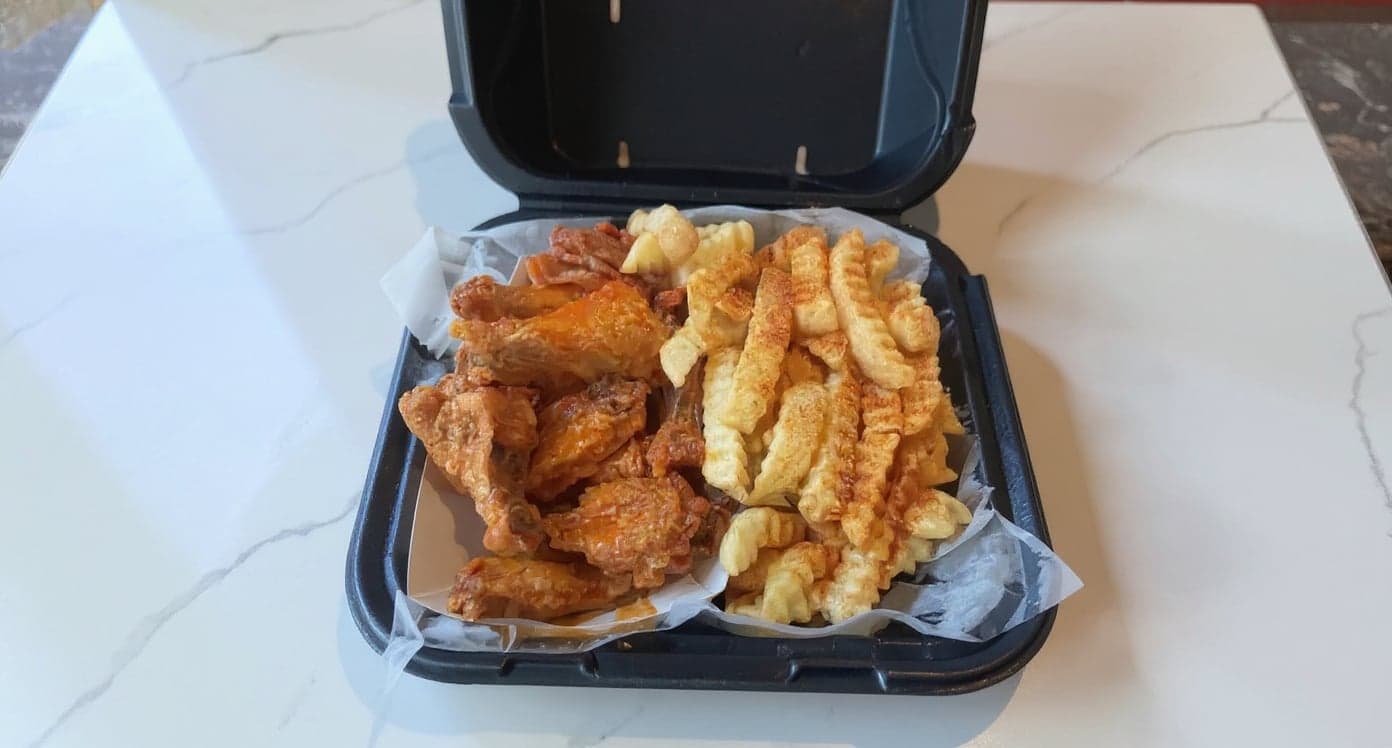
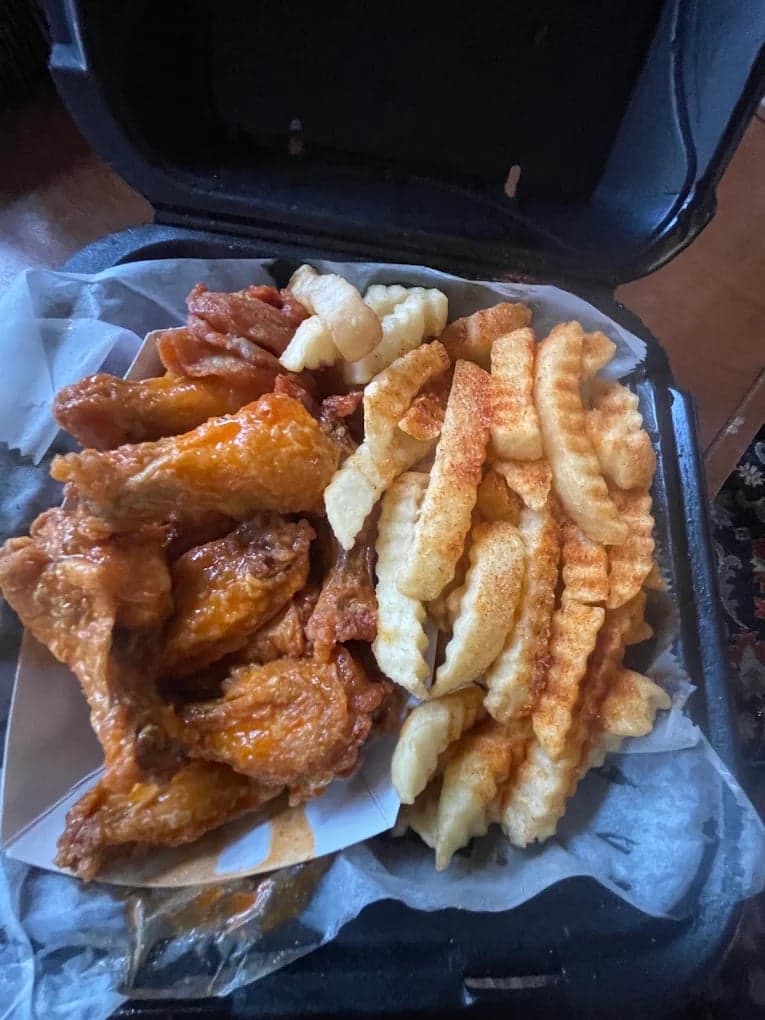
This looks incredible. We're using it for our Google Maps listing and social media.
5 photos free · No credit card · No watermark
Keep reading

Su Lee
Founder, MenuPhotoLab · Atlanta, Georgia
I have photographed Atlanta restaurants for six years as a food creator, and for the last two my sister and I have run SocialLee, shooting and uploading menus for independent restaurants around metro Atlanta. I wrote this page the way I wish the platforms had written theirs: every number read off their own documentation, with the date I read it, and where they contradict themselves I say so.
Sources
- Google Business Profile Help, Add or edit photos and videos (specs, review, cover photo, newest first), read
- Google Business Profile Help, Tips for business-specific photos ("filters or AI", at least three food photos), read
- Google Business Profile API, locations.media (250 px short edge, 10,240 bytes), read
- Google Maps User Contributed Content Policy, photos and videos (stock, borders, text, quality removals), read
- Google Maps User Contributed Content Policy, prohibited and restricted content (pricing, promotions, images of menus), read
- Google Business Profile Help, Manage customer photos (you can't stop customer photos, report them), read
- Google Business Profile Help, Remove photos (removal review takes several business days), read
- Google Business Profile Help, Menus for food businesses (menu items, item photos, 24 to 48 hours), read
- Google Business Profile Help, Popular dishes (owner dish names take precedence), read
- DoorDash, Common reasons for rejected menu photos (text, borders, stock graphics), read
- DoorDash Help, Free photoshoot (photos may not be used on other third-party delivery platforms), read
Platform requirements change. This page carries the date each source was last checked.
Not affiliated with Google, DoorDash, Uber Eats.